Orca Slicer
Orca Slicer is a free yet feature-rich 3D printing software that provides the best results according to your printing instructions. It has an intuitive interface and ensures superb print quality. Orca Slicer comes with innovative capabilities, such as preloaded printer profiles. It is a versatile application, compatible with almost any 3D printing machine. Use the printing software and set it up without a hassle.
For every 3D printing project, you can use G-code translated from design data. By slicing your digital models into multiple layers, our application works efficiently and smoothly.

Download Orca Slicer – 3D Printing Software
What's New
OrcaSlicer v2.3.2 is the stable release. It focuses on a critical 3MF import security fix, more flexible wipe tower behavior, major Linux and Flatpak improvements, a CLI stability fix, and several UI refinements that make daily slicing smoother.
Linux Note
The official Flathub version is now available for Linux users.
flatpak install flathub com.orcaslicer.OrcaSlicerKey Highlights
- Security hardening for 3MF import blocks path traversal from crafted project files.
- A new printer-level wipe tower type setting gives more control for MMU, filament cutter, and tool changer workflows.
- Linux and Flatpak builds received major quality improvements, including startup, resizing, locale, and app ID fixes.
- The CLI no longer crashes when using --info, --slice, or --export-3mf.
- UI polish includes a dynamic title bar, accordion-style tabs, and calibration dialog refinements.
New Features & Improvements
- Tooltips now show inherited default values for more config option types.
- MMU detection is more reliable through normalized Moonraker database checks.
- Beam interlocking generation can now be cancelled while it is running.
- Snapmaker esthetic filament sub-types are recognized for better profile matching.
- Adaptive volumetric speed is now moved behind developer mode because it remains experimental.
Bug Fixes
- Fixed multi-tool extruder tab regressions, wipe tower crashes, and wipe tower boundary issues.
- Improved wipe tower warnings and validation for precise Z height and prime tower conflicts.
- Fixed Linux-specific problems including black screen startup, title bar display, and assemble crashes.
- Resolved notification, hotkey, dialog, marker visibility, and zero-top-infill loop bugs.
- Fixed Flatpak locale support, app ID migration, and decimal flush matrix values that could break firmware parsers.
Profiles & Localization
- New or updated profiles include Creality K2, Anet A8 Plus, Artillery M1 Pro, Qidi X-Max 4, and several filament presets.
- Localization updates landed for Czech, Brazilian Portuguese, Hungarian, Russian, Turkish, Traditional Chinese, and German.
Download Orca Slicer [Latest Version]
See full download pageInstall the latest Version of Orca Slicer — v2.3.2
Windows
Compatible with Windows 7 or higher
Storage space: 500 MB
Processor: Intel Core i3 or similar
Memory: 4 GB RAM
Graphics: DirectX 11 compatible
Size: 119 MB
 Download for Windows
macOS Universal
Compatibility: macOS 10.13+
Storage space: 500 MB
Processor: Apple Silicon or Intel
Memory: 4 GB RAM
Graphics: Metal-compatible GPU
Size: 214 MB
 Download for macOS
Linux AppImage Ubuntu 24.04
Version: 2.3.2
Minimum OS: Ubuntu 24.04
Architecture: x86_64
Size: 119 MB
 Download AppImage
Windows (Portable)
Version: 2.3.2
Minimum OS: Windows 10
Size: 150 MB
Format: ZIP portable build
For Windows (Portable)macOS Universal
Version: 2.3.2
Requirement: Universal DMG
Size: 214 MB
Supports Apple Silicon and Intel
Download for macOSLinux (newer-distros)
Version: 2.3.2
Builds: Flatpak aarch64 and x86_64
Size:aarch64 – 110 MB,Flatpak x86_64 – 114 MB,Linux Ubuntu – 119 MB
Ubuntu AppImage and Flatpak packages
Download OrcaSlicer Nightly Builds
See all nightly buildsInstall the latest Version of Orca Slicer Nightly Builds — v2.3.2
For Linux AppImage Ubuntu 24.04
Version: 2.3.2
Minimum requirement: Ubuntu 24.04
File size: 115 MB
Channel: Nightly builds
Linux AppImage UbuntuFor Windows (Portable)
Version: 2.3.2
Minimum requirement: Windows 10
File size: 142 MB
Channel: Nightly builds
Windows PortableFor Linux (newer-distros)
Version: 2.3.2
Builds: Linux Flatpak aarch64 and x86_64
File size: aarch64 (104 MB), x86_64 (109 MB)
Channel: Nightly builds
Nightly Profile Validators
Download the nightly validator utilities for Windows, macOS, or Linux Ubuntu 24.04.
How to Download and Install Orca Slicer? [Complete Guide]
Downloading the Windows-compatible Orca Slicer is easy for beginners. Our software also works smoothly with macOS and Linux. Download the application directly from our website.
Download Steps
- Choose your operating system (Windows, macOS, or Linux) and click the corresponding download button above.
- If you prefer the newest experimental features, pick the Nightly Build for your OS.
- Once downloaded, verify the file checksum (optional) for extra security.
Installation Steps
- 🪟On Windows, install using the
.exefile. Open the file and follow the on-screen instructions. - 🍎On macOS, open the
.dmgfile and drag the app to your Applications folder. - 🐧On Linux, make the
.AppImageexecutable and run it via your terminal or file manager.
Launch Orca Slicer
You have now installed Orca Slicer on your device. When running the program for the first time, manage the setup for your printer. Our comprehensible wizard makes the setup process easier.
Features in Detail
Advanced Algorithms
Orca Slicer is an advanced 3D printing application with complex algorithms that provide precise results. Its smart capabilities and efficiency optimize the slicing process. Minimal material wastage and reduced printing time are major advantages of using Orca Slicer. You will receive premium-quality output without wasting your resources.
Precise Wall Feature
Our software includes a Precise Wall feature that improves alignment and spacing of your 3D print's outer walls. The output is stronger and more accurate, with fewer surface imperfections and bumps. Even with beginner-level skills, you can achieve a professional-grade finish.
Seam Feature
Leverage the seam feature to control your printing device's start and stop points on the 3D model. You may align seams and position them near the previous layer, hide the seams at the back, randomize for a natural finish, or use manual seam painting for customized placement.
Regular Updates
As Orca Slicer is an open-source solution, it has an active community of printing professionals and developers. Their collaborative efforts ensure continuous improvements with regular updates. With every update, you will find new features and improved performance.
Wider Compatibility
Orca Slicer has standout features compatible with traditional and modern 3D printers. We designed a versatile application that saves your effort—no need to choose different software for every type of printer. Download the software and enjoy its advanced features.
Calibration Tools
From temperature to Vertical Fine Artifacts, everything can be calibrated easily.
- ⚙️ Pressure Advance — Balances extruder pressure to avoid stringing and oozing issues.
- 💧 Flow Rate — Calibrates filament to use the right amount of material for every layer.
- 🔥 Temperature — Adjustable print temperatures for improved extrusion.
- 🎨 Vertical Fine Artifacts — Optimize print speeds and reduce surface defects for a smoother finish.
- 🚀 Max Flow Rate — Calculates the amount of material pushed out by the 3D printer without compromising quality; adjust filament speed to identify the fastest reliable rate.
- 📏 Tolerance Test — Check dimensional accuracy by printing hexagonal holes.
- 🔁 Retraction Test — Identify the retraction length and avoid stringing.
How to use Orca Slicer? [Getting Started]
Orca Slicer has a simple interface but offers several features to improve the result.
Setting Up Your Printer
Our 3D printing software has a range of preset profiles and works with different printer models. Those using top-rated printers can easily find a preset profile. First, select the printer and use our printing tool. Then, choose the filament and configure it accordingly. For any filament, the slicer adjusts settings such as nozzletemperature and speed setting. You may also leverage preset profiles for various types of filaments and brands. Turn on Wi-Fi connectivity and send G-code files to the printer.
Slicing and Printing
To start a new project, slice the first model. Click New Project and move the 3D object file into the slicer. The system automatically places the model on a plate and allows you to resize it.
Review the default settings and customize them by adjusting print speed and layer height. After choosing the settings, let the application process your 3D model. The software enables you to preview the G-code.
The G-code file can be exported to your SD card or sent via the wireless network.
Why Choose Orca Slicer?
Orca Slicer is better than other 3D printing applications because of its diverse features and intuitive interface. Use the software in your preferred language (such as French and English). Moreover, our licensed, open-source software is free for every user. It has received positive feedback from a vast community of 3D printing professionals.
| Feature | Description |
|---|---|
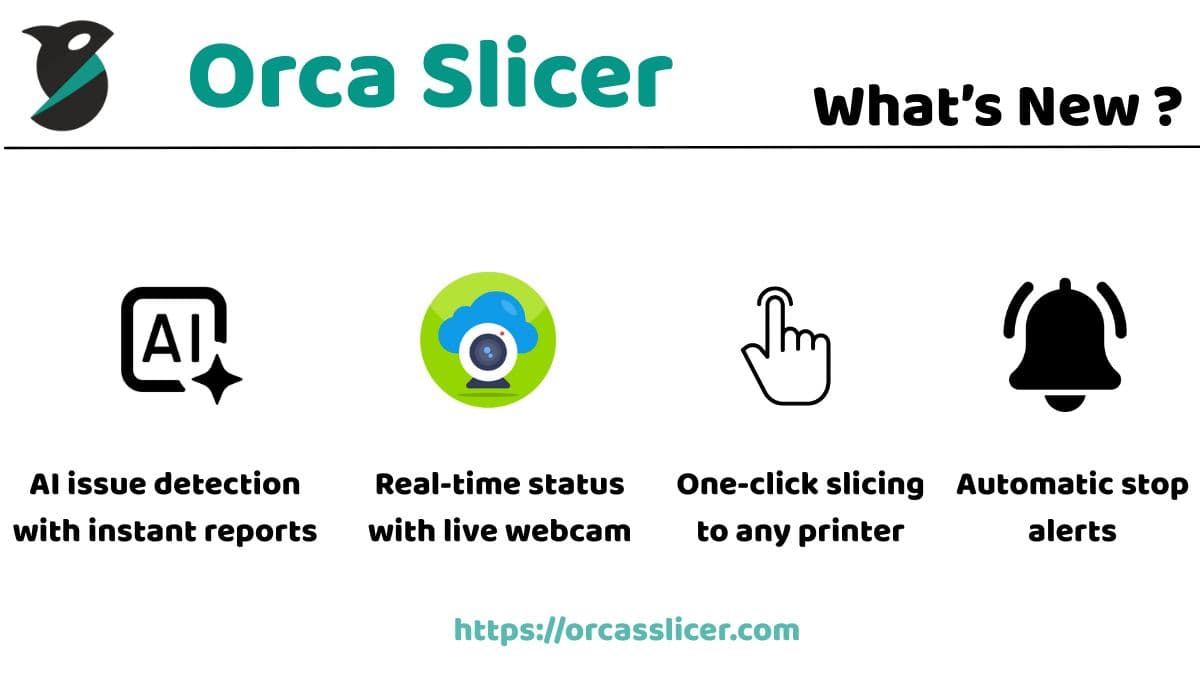
| AI-Powered Tools | Orca Slicer comes equipped with intelligent algorithms that automatically detect potential print errors and optimize your models for smooth, consistent output. |
| Cross-Platform Support | Fully compatible with Windows, macOS, and Linux — ensuring the same seamless experience on every device. |
| Open-Source Advantage | Completely open-source, giving users the flexibility to customize, extend, and contribute to its active global development community. |
| Smart Calibration System | Built-in calibration and auto-tuning ensure perfect first layers, better adhesion, and improved dimensional accuracy. |
| Modern, Clean Interface | Designed with simplicity and clarity in mind, featuring a dark/light theme and well-organized control panels. |
| Community & Updates | Backed by a vibrant community and frequent updates that keep the software evolving with the latest printing standards. |
Compare with Other Popular Slicers ⚙️
| Feature | Orca Slicer | Cura | Prusa Slicer | Bambu Studio | Super Slicer |
|---|---|---|---|---|---|
| Ease of Use | Beginner-Friendly | Simple Interface | Straightforward | User-Friendly | Slightly Complex |
| Preloaded Print Profiles | Extensive Library | Many Available | Multiple Options | Limited | Good Range |
| Wireless Printing | Supported | Not Supported | Not Supported | Available | Not Supported |
| Advanced Settings | Full Control | Comprehensive | Detailed | Basic | Advanced |
| AI-Powered Error Detection | Yes 🤖 | No | No | No | No |
| Open-Source Availability | Yes | Yes | Yes | No | Yes |
| Customizability | Highly Flexible | Extensive | Extensive | Moderate | Advanced |
FAQs
Is Orca Slicer a premium tool?
No. You can currently use Orca Slicer for free and manage your 3D printing projects.
Is it safe to run Orca Slicer?
Yes. You can install and run the application without issues.
Can I use any printer with Orca Slicer?
Our software is compatible with almost any printer.
Where can I find the official version of Orca Slicer?
You can locate the download link on this website.
Does Orca Slicer work offline?
Yes. After installation, you can slice models and export G-code without an active internet connection.
Can I import profiles from other slicers?
You can recreate common settings and use preset printer/filament profiles. Direct imports depend on the profile format.
Are Nightly Builds stable for production use?
Nightly builds include the newest changes and may contain bugs. Use the latest release for critical prints.
Does it support common firmwares like Marlin and Klipper?
It generates standard G-code compatible with popular 3D printer firmwares, including Marlin and Klipper.
How do I report an issue or request a feature?
Share feedback through the community channels or official issue tracker linked from this website.
Conclusion
Orca Slicer is an innovatively designed 3D printing application with exclusive features. Conversion of 3D models into G-code is easy. Integrate our software with different 3D printers and choose options depending on your purpose. Moreover, customizable settings and continuous improvements make our software different from other 3D printing platforms.
Ratings are derived from GitHub stars, community reviews, issues & discussions across the Orca Slicer ecosystem.